The "Colocalize" templates were migrated from EVAnalyzer1 and provide pipelines for detecting EVs/spots in fluorescence microscopy images with two or more stainings and calculate the number of spots which colocalizes. ImageC ships two coloc pipelines, one with two predefined channels and one with three predefined channels. However the calculation of the coloclization is not limited to two or three channels, but can be extended to any number of channels.
In this tutorial we will go through the three channel coloclization pipeline and learn how to use it.
First of all open ImageC and select the Coloc 3 channels template from the list.
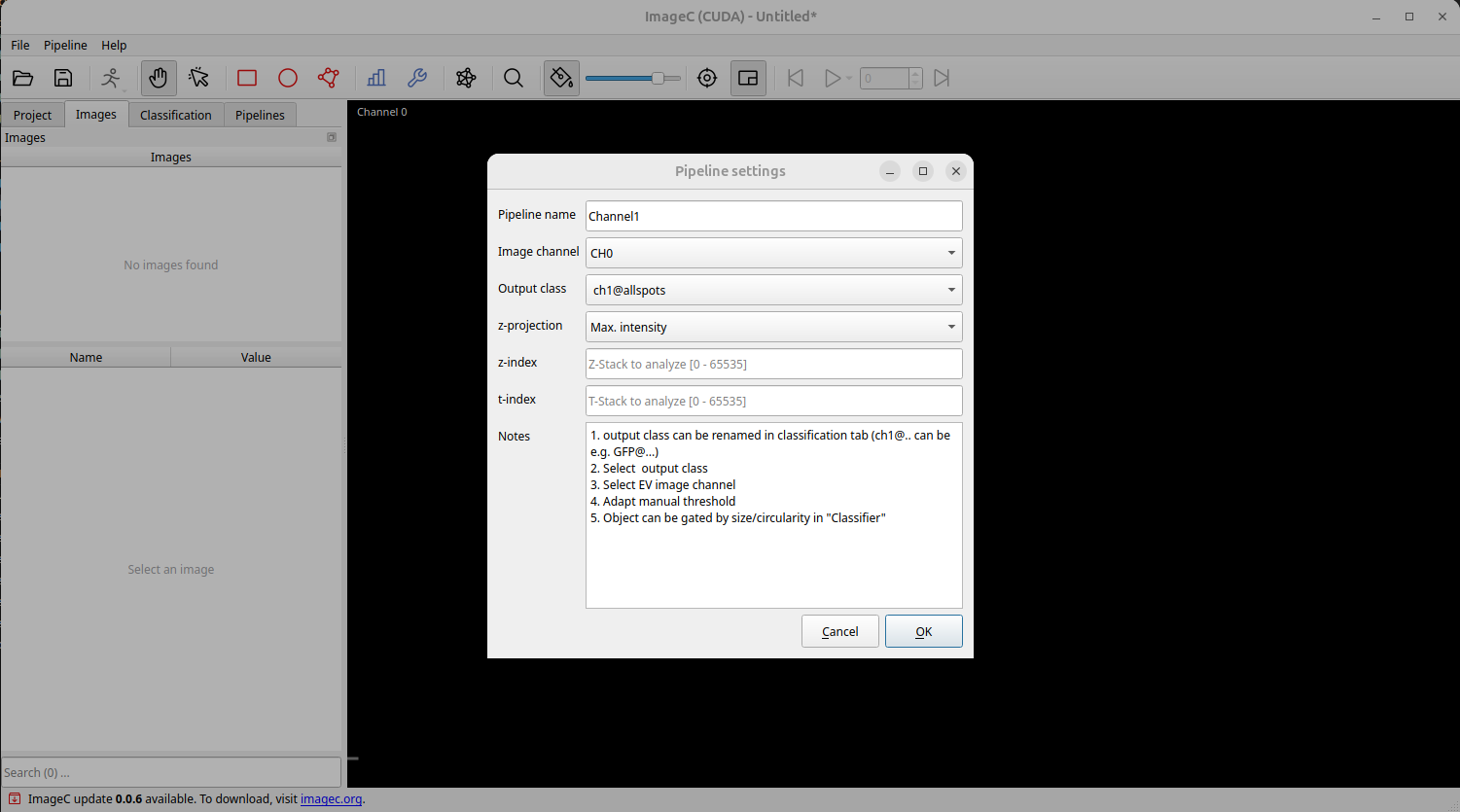
You are asked for each pipeline to define the image channel to use to extract the spots from.
We choose image CH0, CH1, CH2 for the staining channels and CH3 for the tetraspeck channel.
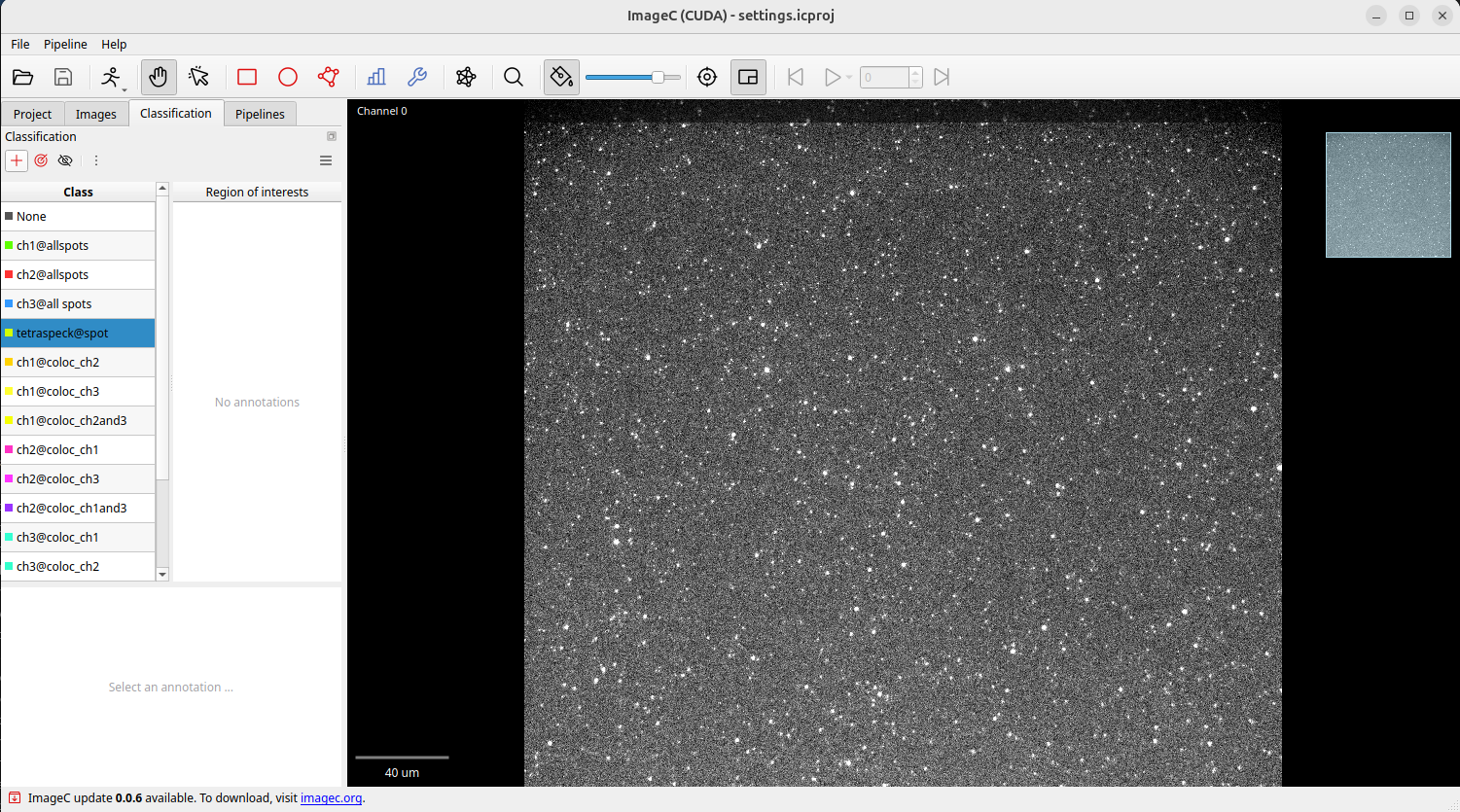
Switch to the classification tab. Based on the template all needed classes for a triple coloc calculation are defined. Double click on a class to change its name or color if wanted.
In the pipeline tab five pipelines are displayed. Three are used to detect spots, one is used to detect tetraspeck beats and one for calculating the colocalication of the spots from each channel.
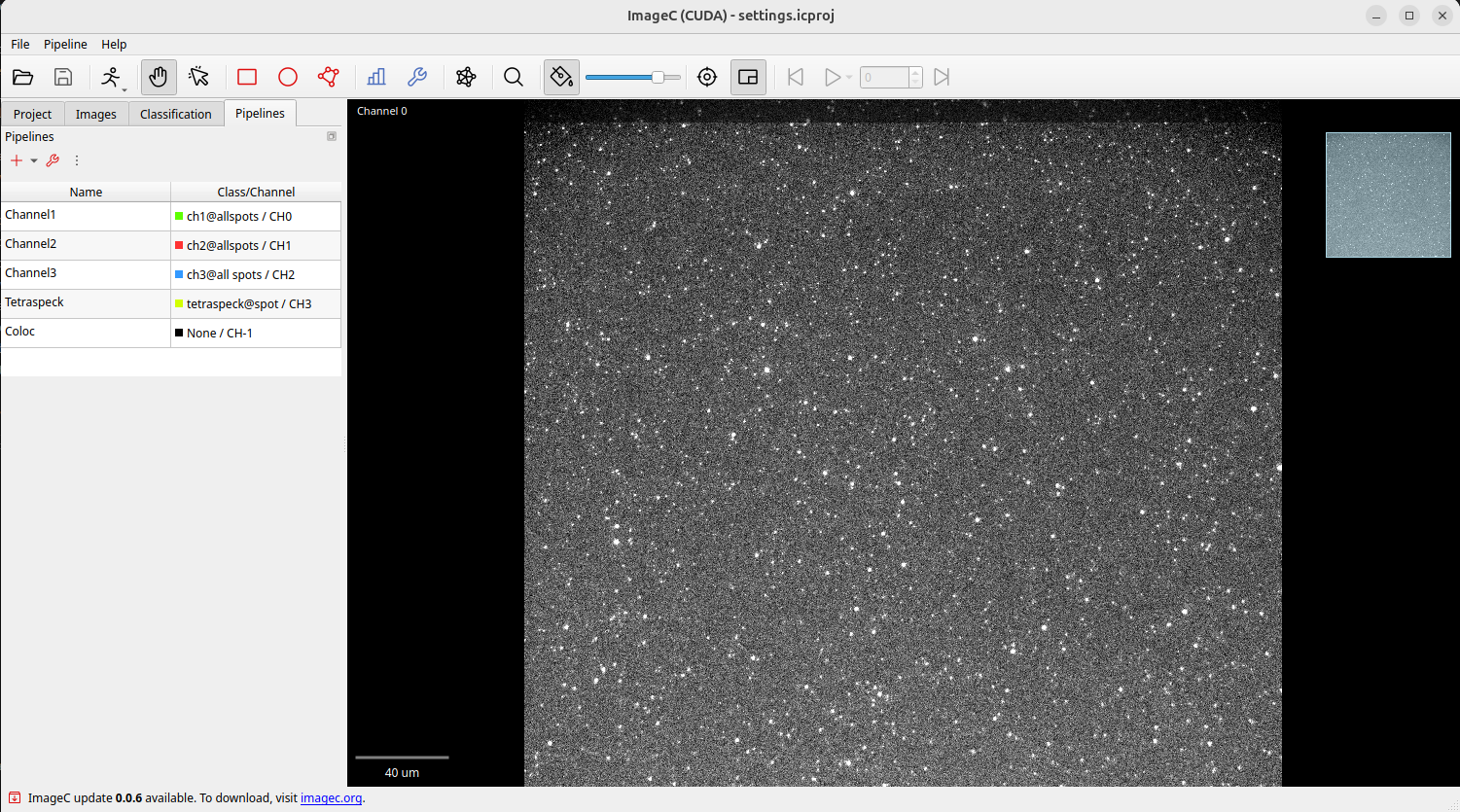
We have to adapt the spot and tetraspeck detection pipelines to our needs, in detail the threshold level for signal detection and the min/max object sizes have to be adapted.
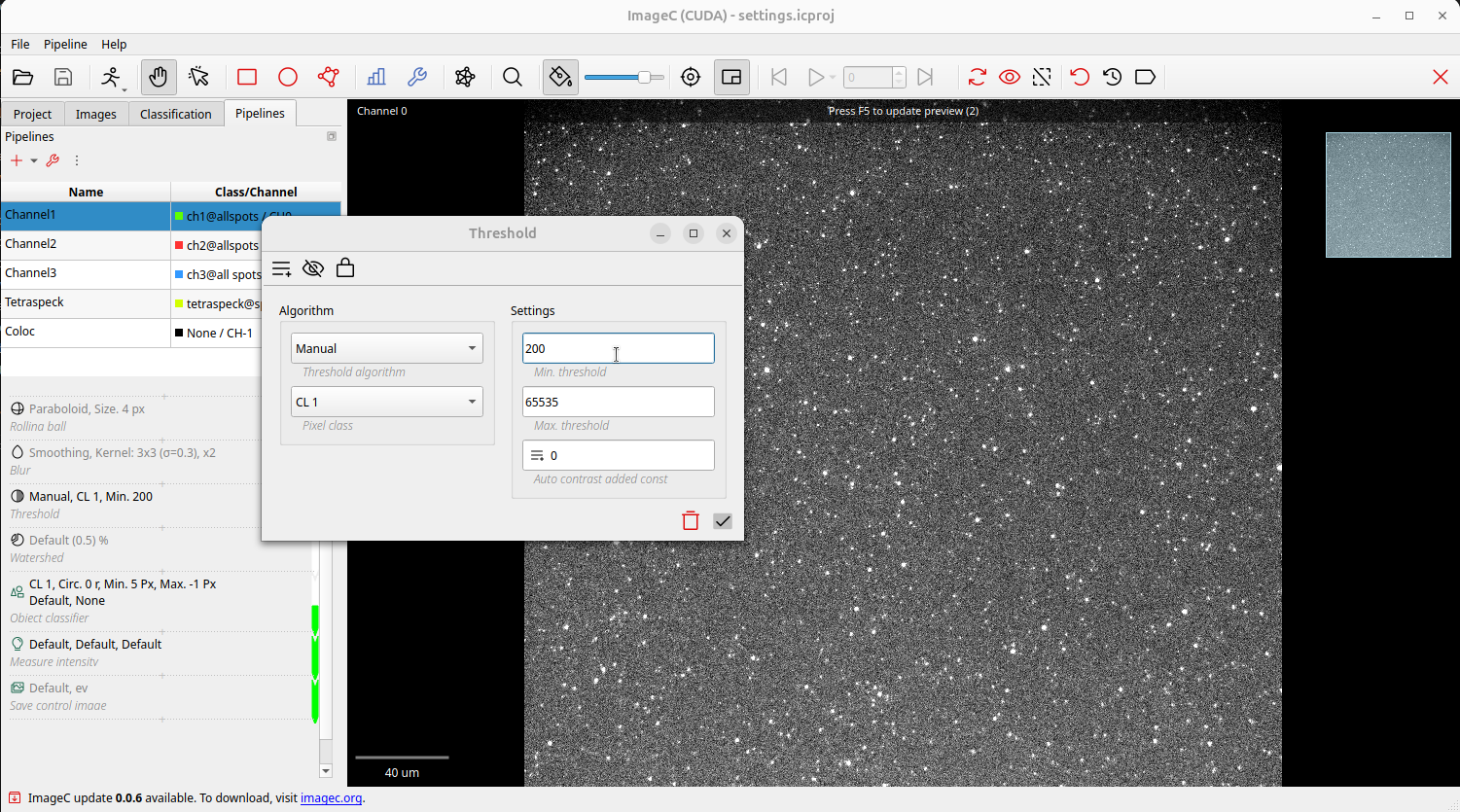
Open a pipeline by single click on it and open the threshold command by a single click.
Adapt the Min. Threshold value and press Enter to apply the settings and F5 to refresh the preview.
Increase and decrease the value until you fund a value which extracts your spots best and having as less as possible noise.
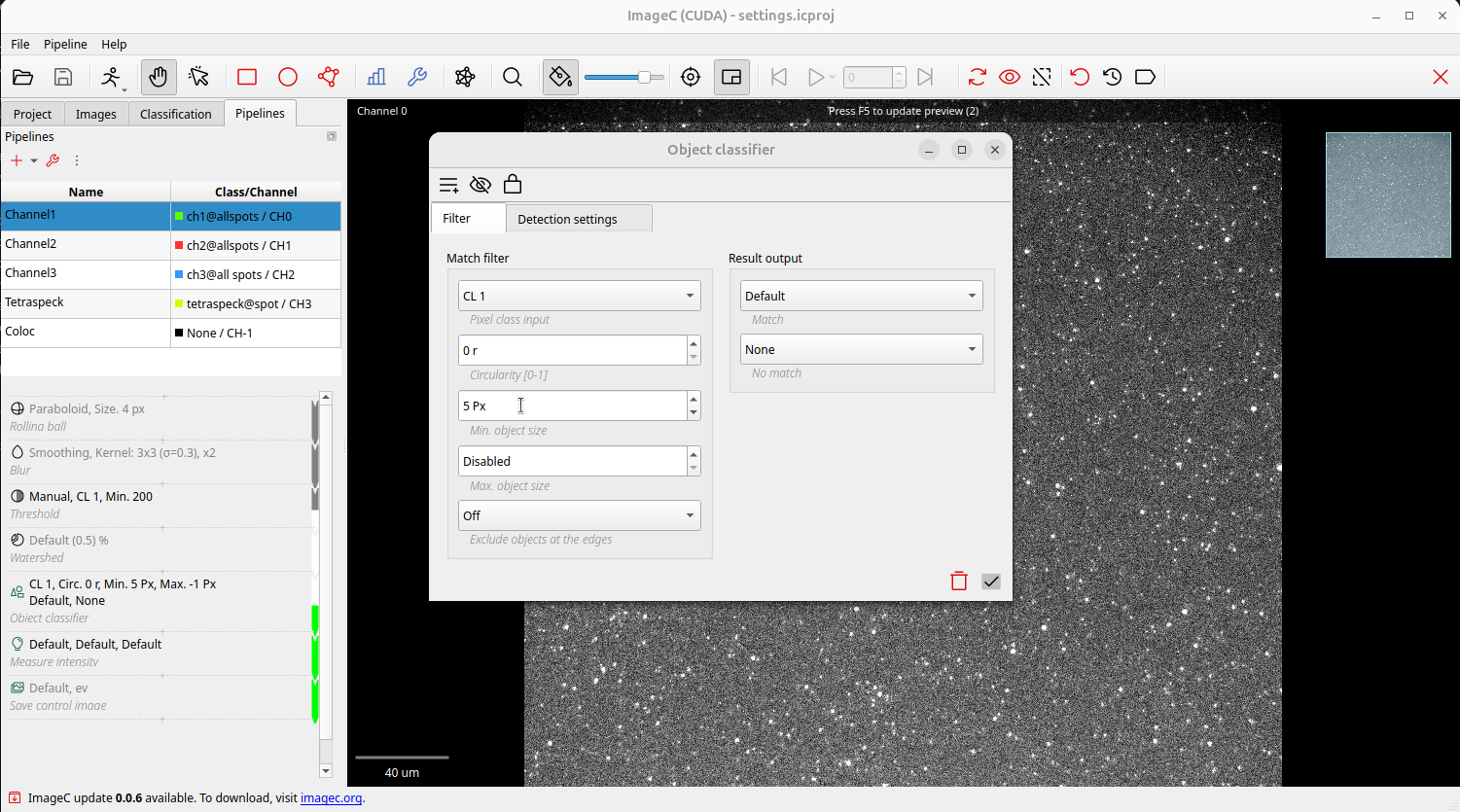
If needed objects can filter more fine granular by changing the min and max object size filter of the object classifier command.
Open the object classifier command by a single click.
Adapt the min and max object site settings as well as the circularity filter settings based on your spots metrics.
Always press Enter to apply the settings and F5 to refresh the preview.
Repeat these steps with thr other two spot detection channels and the tetraspeck channel.
Now all needed settings are done and the analyzes can be started.
ImageC produces following output data:
- Spot count for each channel including metrics and intensity.
- Tetraspeck count and removal of the tetraspeck beats from the spots.
- The number of spots colocalizing between
{ch1 | ch2},{ch1 | ch3},{ch2 | ch3}and{ch1 | ch2 | ch3},
Advanced
Below the JSON representation of the template project is shown. This JSON can be used together with the ImageC CLI functionality to script the detection process.