Search Shortcut cmd + k | ctrl + k
- Installation
- Documentation
- Overview
- First steps
- Fundamentals
- Commands
- Overview
- Image processing
- Color filter
- Blur
- Intensity
- Rolling ball
- Median subtract
- Edge detection
- Image math
- Image cache
- Enhance contrast
- Rank filter
- Binary image processing
- Classification
- Object processing
- Measurement
- Filtering
- Machine learning
- Command Line Interface
- Tutorials
- Overview
- Pipeline Setup Guide
- EVAnalyzer
- Advanced
- Technical insights
- Development
- About ImageC
- Citation
- FAQ
- Support
- Sitemap
Documentation
/ Commands
/ Measurement
Measure intensity
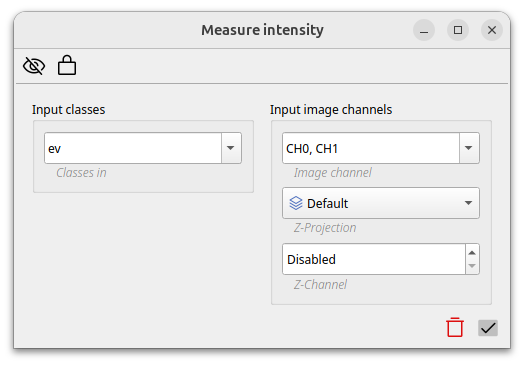
Per default only object metrics are measured and stored by ImageC. With the measure intensity command it is possible to measure the image intensity of the detected areas of interest. ImageC allows you to select the channels for which the intensity should be measured, whether or not a z-projection should be applied, and which z-stack should be measured.