
Search Shortcut cmd + k | ctrl + k
- Installation
- Documentation
- Overview
- First steps
- Fundamentals
- Commands
- Overview
- Image processing
- Color filter
- Blur
- Intensity
- Rolling ball
- Median subtract
- Edge detection
- Image math
- Image cache
- Enhance contrast
- Rank filter
- Binary image processing
- Classification
- Object processing
- Measurement
- Filtering
- Machine learning
- Command Line Interface
- Tutorials
- Overview
- Pipeline Setup Guide
- EVAnalyzer
- Advanced
- Technical insights
- Development
- About ImageC
- Citation
- FAQ
- Support
- Sitemap
Documentation
/ Commands
/ Object processing
Object transform
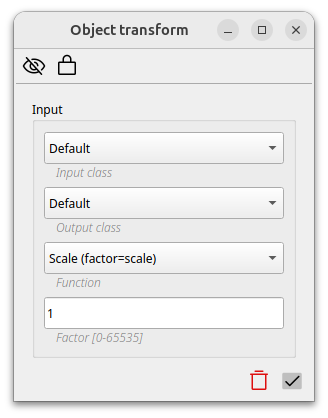
The object transform command takes existing objects and transform the size or shape of these objects. The resulting objects can either be assigned to a new class or override the existing objects.
Actually five transform functions are supported:
Scale
Scale changes the size of the objects depending on the given factor.
A factor of 2 for example doubles the sizes of the given objects.
Min. circle
Draws a fitting circle around each object with the given radius as minimum circle size.
Draw circle
Draws a circle with fixed size around each object.
Fit ellipse
Draws a fitting ellipse around each object. Optionally a scaling factor for the ellipse can be defined.